In this guide, I explain how I handle licenses, employees, restocking, stock levels, and closing time. I also cover the storage system and what changes once I reach level 25 and can promote my employees.
Before level 22
The first thing I recommend is patience.
The game lets me upgrade the store and buy new licenses pretty early. I think this is where the game can become harder than it needs to be.
I do not buy a new license just because I unlock it.
I wait until I know I can handle the extra products without losing control of the gameplay loop.
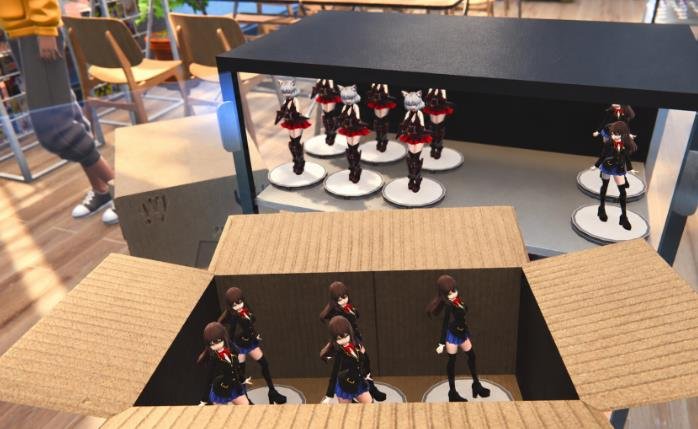
Personally, I did not move on to license 5 until I had 3 employees. I know that might seem slow, but adding dakimakuras makes things much harder for the restockers.
If I want to avoid constantly feeling like I do not have enough employees, I wait.
If I am not level 22 yet and I have not unlocked the third employee, I stay with 2 employees and do not buy license 5.
While waiting for level 22, I focus on upgrading the store and buying store expansions instead.
Once I reach level 22 and unlock the third employee, I can finally buy license 5.
The gameplay loop
Once I have 3 employees, this is the gameplay loop I use.
- I start the day and assign all 3 employees as restockers. I buy enough stock to completely fill 2 trays of every product.
- I make sure I have enough money for the employee boost. It is pretty important at this point.
- Before opening the store, I check if any prices have changed and adjust them however I want. I can do this quickly from the computer.
- I open the store and boost my employees so they can start restocking. I can also boost them before opening if I want. When there are only a few products missing, they can usually handle it on their own. I also let customers pile up for a while if needed. Nothing terrible happens if they have to wait.
- During the day, I use 1 or 2 cashiers depending on how busy the store is. I also keep checking my stock from the computer.
- At around 6 PM, I start slowing things down and focus mostly on getting customers through the registers.
- Once I finish serving the last few customers, I hit next day and repeat.
That is pretty much the entire loop.
Stock and Restocker Tips
The little trick I use is buying another box whenever a product reaches its original box quantity or lower.
For example, if a manga comes with 12 units per box and I have 11 left, I buy another box.
This keeps the restockers from getting completely overwhelmed.
If I order a massive amount of stock at once, the restocker AI does not seem very good at deciding what needs to be stocked first.
This is another reason why rushing licenses can make the game more annoying than it needs to be.
I have had a much better experience by ordering small amounts consistently instead of giving the restockers a mountain of boxes to deal with.
I have also noticed that customers seem to buy things almost proportionally to how much stock I have.
So if I buy 100 units of something, eventually some absolute millionaire is going to walk into my store and buy 90 of them.
Apparently, we have some very wealthy customers.
Closing time strategy
This part is optional, but it has worked really well for me.
At around 6 PM, I put 2 or 3 employees on the registers and basically stop buying new stock or restocking unless I really need to.
I just sell whatever is already on the shelves.
Some customers will complain because things are out of stock, but from what I have seen, there is basically no meaningful punishment for it.
The reason I do this is because I want the cashiers to clear as many customers as possible before 9 PM.
The second it hits 9, they stop working immediately, even if they are halfway through someone’s purchase.
I would rather slow everything down near closing time than deal with a gigantic line of customers by myself after the employees leave.
I am basically sacrificing a little stock availability at the end of the day so I do not have to deal with the entire population of the city standing in front of my register.
Storage warning
This guide is written with the current storage system in mind. Right now, storage seems pretty broken and using it can cause employees to bug out.
Because of this, I would not recommend spending a lot of money on storage upgrades yet.
For now, I avoid relying on storage too much.
Once the devs fix storage and improve the employee AI, the optimal gameplay loop will probably change. This entire guide might even become pointless.
What Changes at Level 25
At the time of writing this, I just discovered that once I reach level 25, I can promote my employees.
And this changes a lot.
Promoted employees are really fast at basically every task. When I combine that with the employee boost, they can handle both cashiering and restocking extremely well.
With two of them working together, they are honestly more efficient than I could realistically be as a human player.
From this point on, the game becomes much more enjoyable because I suddenly have much more control over everything.
I can start buying more licenses without worrying as much about completely destroying the chill gameplay loop.
Right now, I mostly focus on buying products and keeping an eye on stock. I can actually trust my employees to run the store efficiently on their own, even with their slightly questionable AI.
So the main message here is to be patient.
Maybe this is actually how the developers intended progression to work.
Early on, I struggle a bit. Then I slowly unlock better tools and employees until the store starts running almost by itself.
For me, once I reached this point, the game became much more relaxing.
I can just play, manage the important stuff, and not stress nearly as much about every little thing going wrong.