In IT THINKS, casting a chip automatically determines its inputs and outputs based on the circuit connections. In this guide, I explain how the game identifies input pins, how to organize multiplexer inputs using Split 2, and how to merge multiple inputs into a single value when casting custom chips.
Chip Inputs and Outputs in IT THINKS!
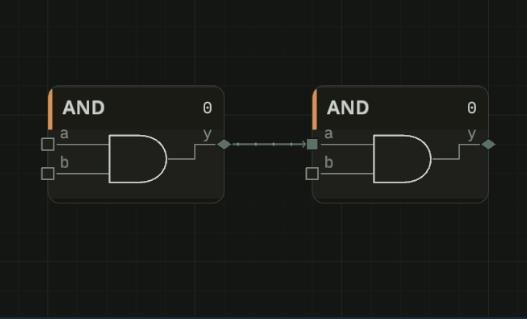
1: 3-input AND chip
First, the game calculates the number of inputs by checking for any unconnected inputs in the circuit. Each unconnected input is marked as a distinct input, along with the outputs.
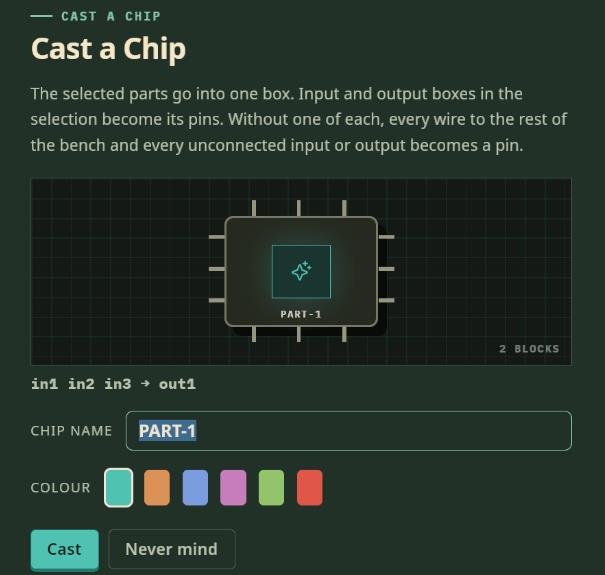
Clicking on Cast A Chip here gives me three inputs, in1 to in3, and a single output, out1:
2: 4:1 Multiplexer
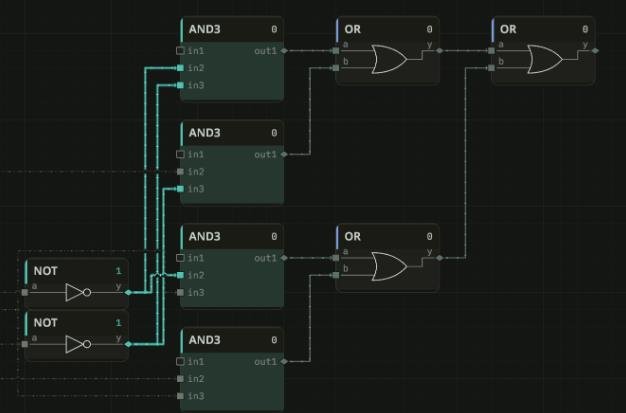
Here, I have a sample 4-input, 1-output multiplexer. However, casting this chip gives me…
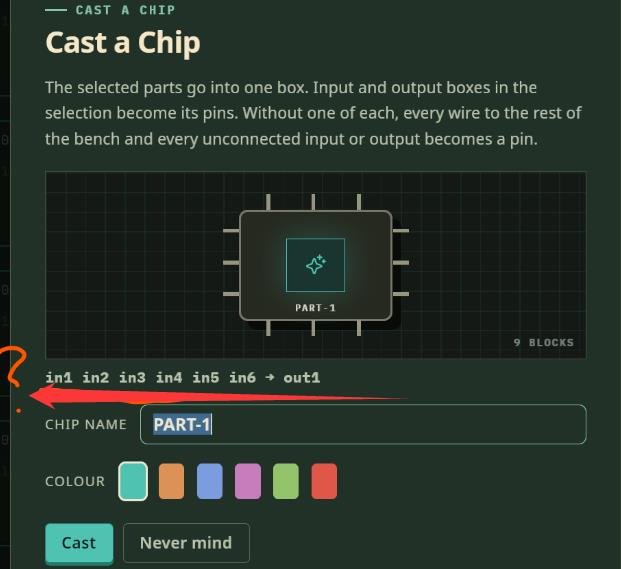
Six inputs! I don’t know this until after casting the chip, unless I experiment beforehand.
I look at some strategies to better organize these inputs, especially since we don’t have pin renaming for casted chips yet.
Adding a Split 2 here allows me to unify the select input and condense it into a 2-bit word:
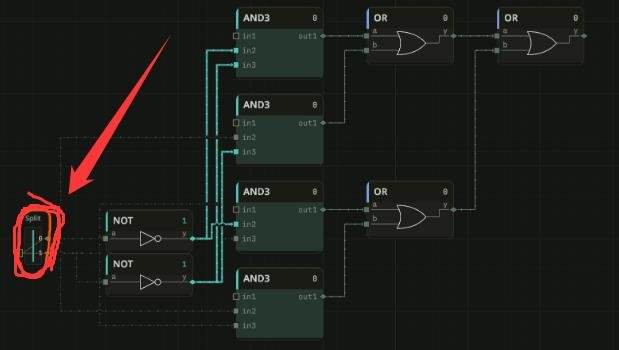
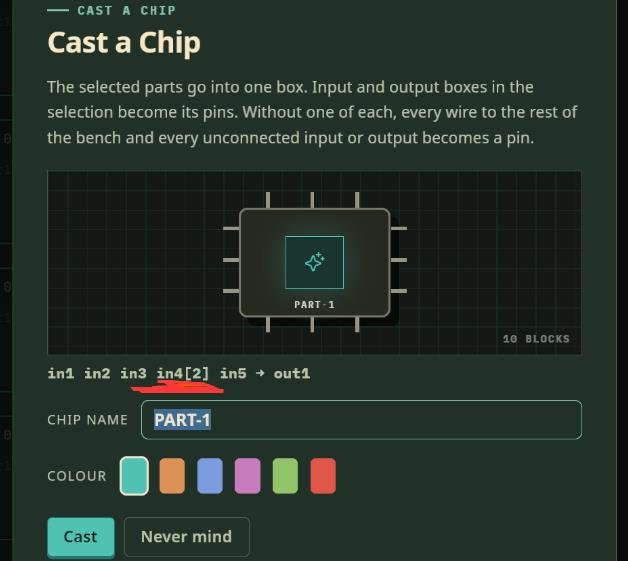
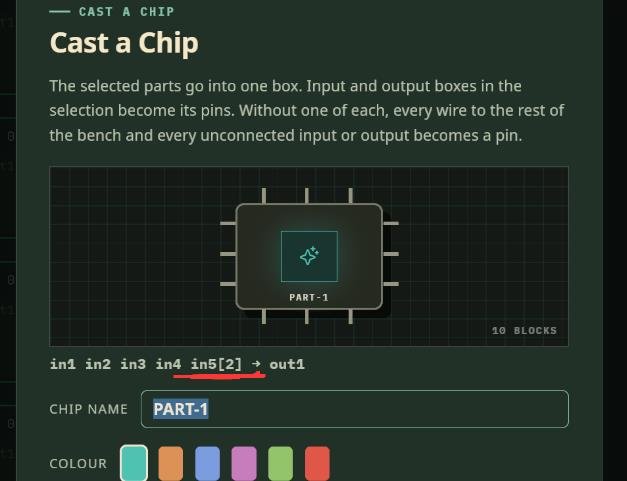
Notice that it’s in4[2] that gets the 2-bit designation, not in5 or in1.
My guess is that the game names inputs from in1 to inN based on their position, possibly from top to bottom and then left to right.
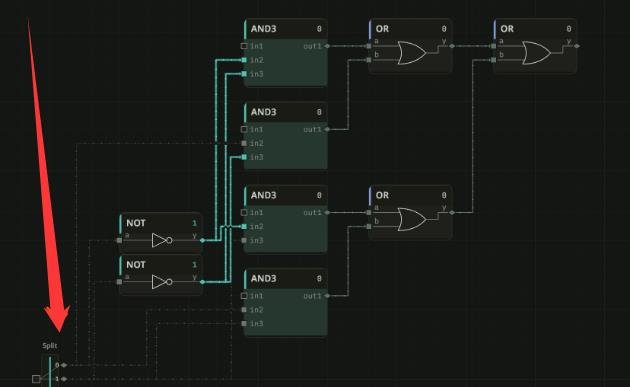
Moving the Split 2 to the bottom confirms this, as the 2-bit input is now named in5[2].
How I merge or unify inputs
If I want to merge multiple inputs, for example, make in1 to in4 share the SAME VALUE, I can add any component that connects to all of them.
For this example, I’m using a NOT gate connected to all the in1 inputs:
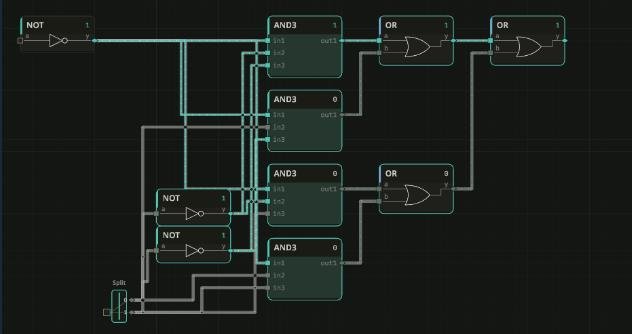
Note that I do NOT SELECT the NOT gate that I’m using to unify the inputs.
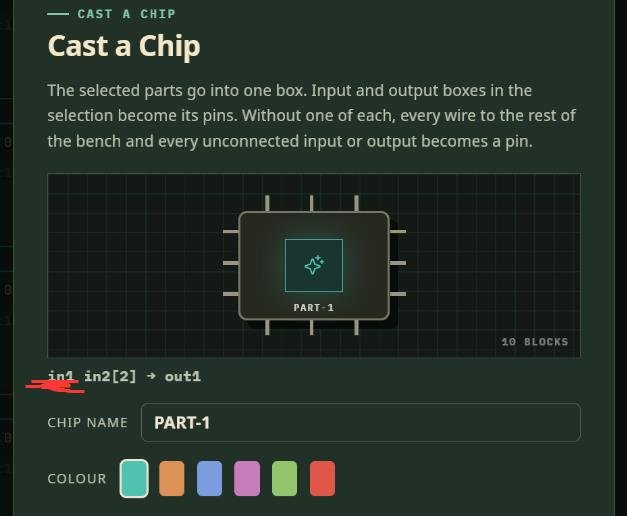
Clicking on Cast A Chip now merges all of these inputs into a single input, in1.